A Drupal code quality score you can defend, and the metrics that earn it
A Drupal code quality score turns a whole codebase into one number from 0 to 100, weighted toward what matters most. EventHorizon builds that score from Drupal-specific checks, weights security highest, and shows the code metrics underneath it, so the number is one you can act on as well as read.
The short version
- A single quality score is only worth having if you can say where it came from.
- EventHorizon scores six categories (security, performance, architecture, maintainability, theme quality, and Drupal standards) and averages them into one number from 0 to 100, with security weighted highest.
- Under the score sit real code metrics: cyclomatic complexity, a maintainability index, anti-pattern density, and the functions that are your worst hotspots.
- Each category score comes from measured benchmarks, so a number moves when the code moves and you can point at why.
- The project manager and client view shows the score and the metrics; the developer view adds the findings, the mindmaps, and the per-function detail.
- Built for Drupal 8 to 11, runs as static analysis, with AI as an optional layer you turn on yourself.
I have stood in the review where a single number did all the talking. The codebase had a quality score on the dashboard, a stakeholder pointed at it, and asked the only question that mattered: where did that come from? I did not have a clean answer. The number looked precise, it sat there in a confident colour, and I could not tell them which decisions had produced it or what would move it.
A score earns its keep when you can explain it, because people act on it. They scope against it, they report it upward, and it holds up best when it tells them where it came from. So the question I care about is the number itself plus the story behind it. It is whether I can stand behind the number in the room.
What makes one code quality number worth trusting?
A quality score earns trust when you can see inside it. Many tools read the code, apply a weighting, and hand back a single grade, which is a fast, useful read on its own. A Drupal-aware score adds the next layer: it shows you the parts the number is built from, and it reads each pattern in Drupal terms. A static service call, for instance, is sometimes a smell and sometimes Drupal working exactly as designed, and the context tells you which.
So a Drupal score earns trust on two conditions. You can see the parts it is built from, and those parts read Drupal in context. That is the bar I held EventHorizon's scoring to.
What does EventHorizon actually score?
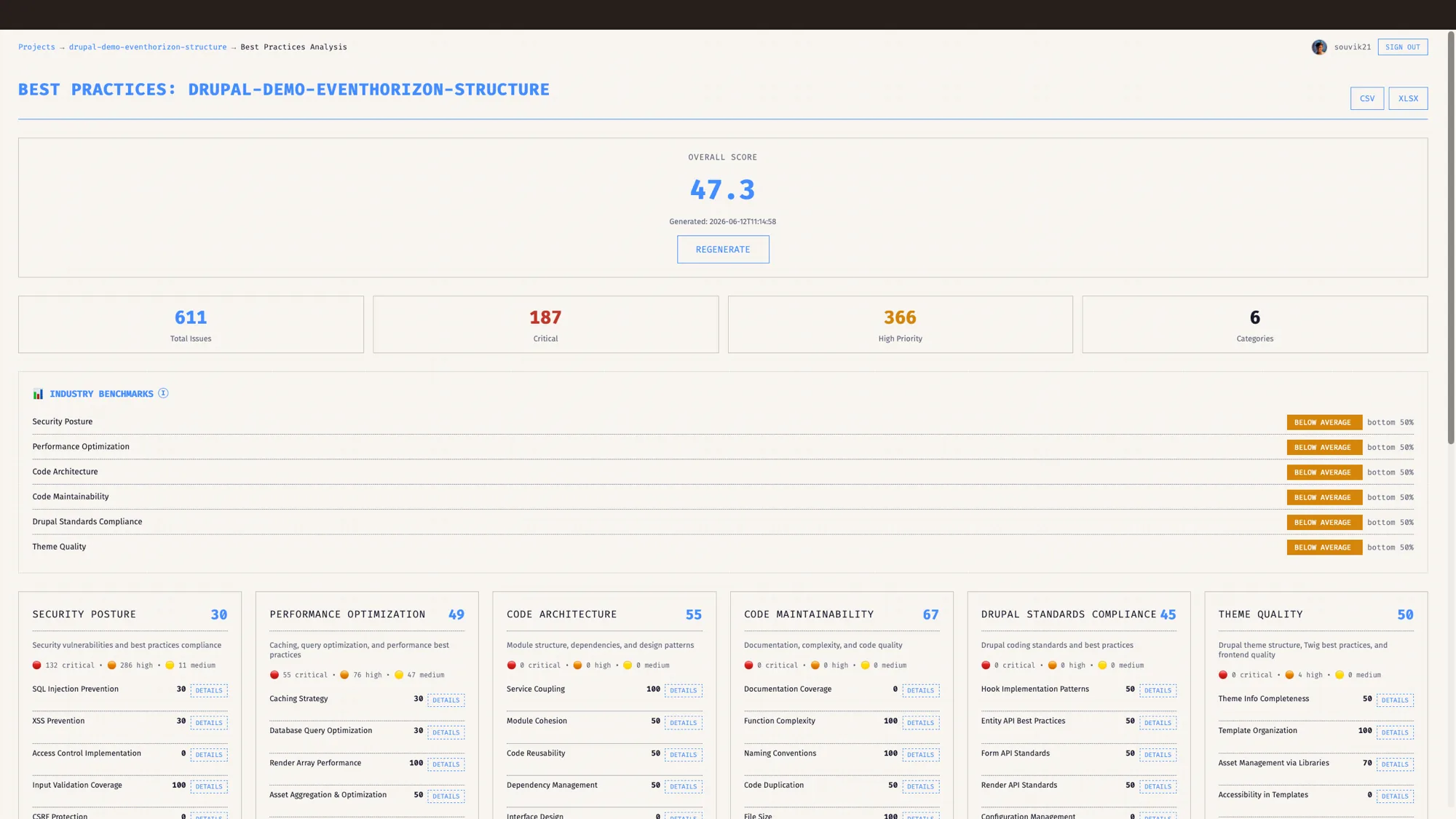
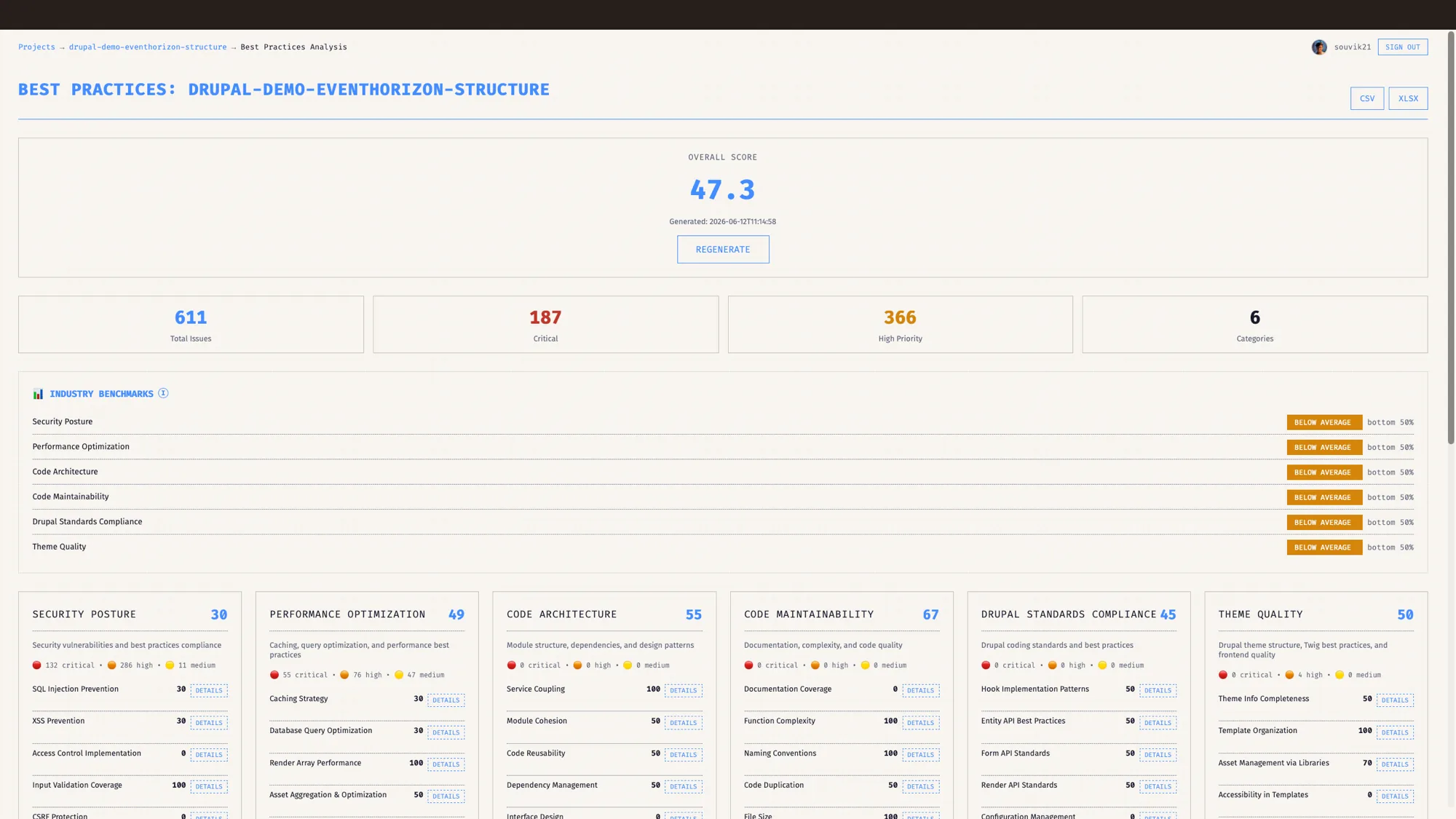
The Best Practices score is a single number from 0 to 100, and it is a weighted average of six category scores.
Here is what feeds it, and the weight each category carries:
- Security, 25
- Performance, 22
- Architecture, 18
- Maintainability, 13
- Theme quality, 12
- Drupal standards, 10
Security carries the most weight on purpose, because a security mistake costs the most when it ships. Performance sits just behind it. The weights are a deliberate choice, applied the same way to every codebase you scan.
Each category is itself an average of measured metrics, and EventHorizon scores each metric against a benchmark. Documentation coverage scores full marks at ninety percent and steps down in bands below that. A security metric like SQL injection findings runs the other way: zero is full marks, and the score steps down as the count climbs. So the headline number is a weighted average of how the code measured, benchmark by benchmark, all the way up. A category moves when the code moves, so a drop in the score points you straight at the category that caused it.
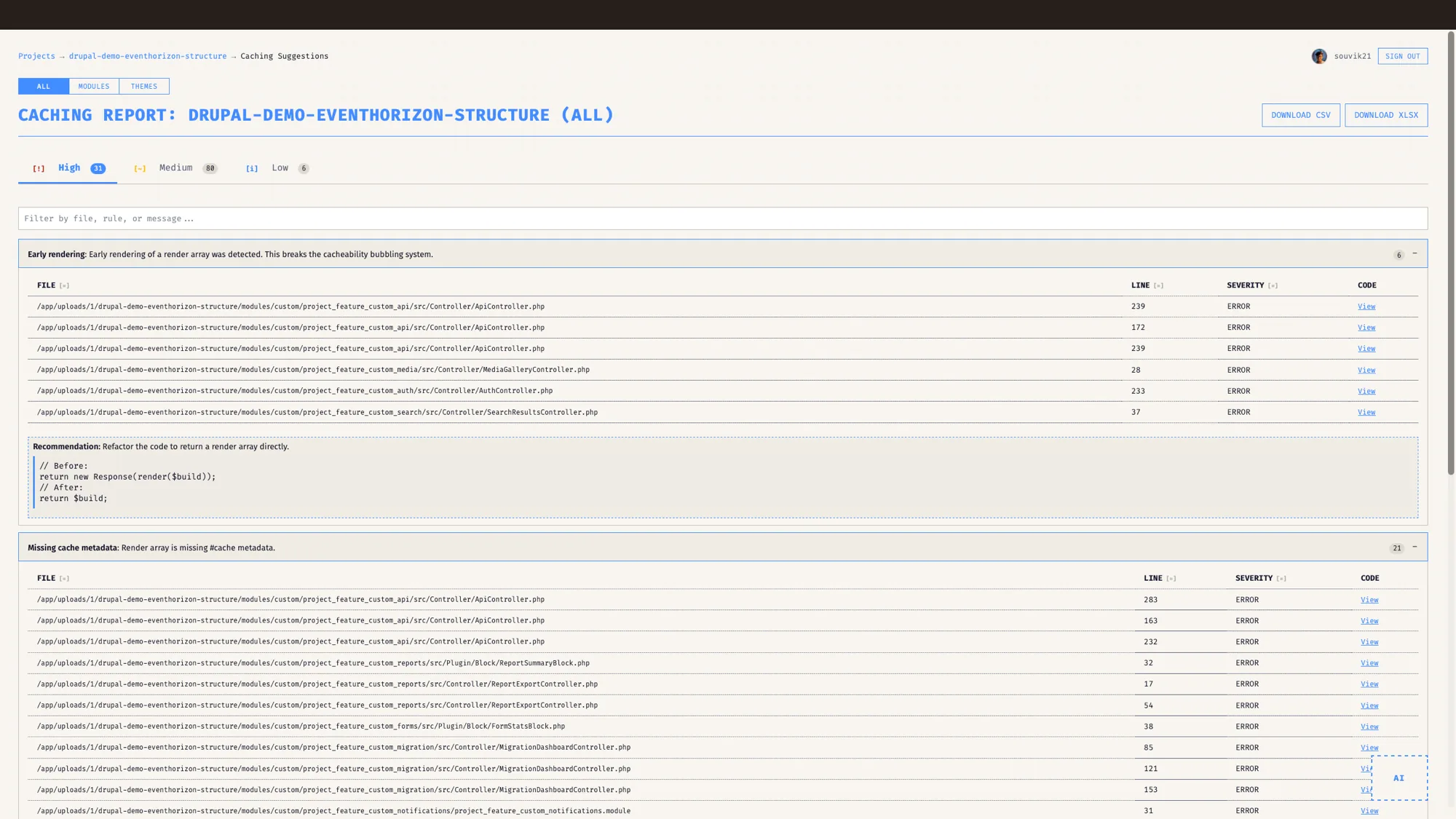
For anyone who read the performance post, this is where the caching work lands. The sixteen caching checks feed the performance category, which carries its twenty-two points into the total. A clean caching pass lifts performance, and performance lifts the score.
What sits underneath the score?
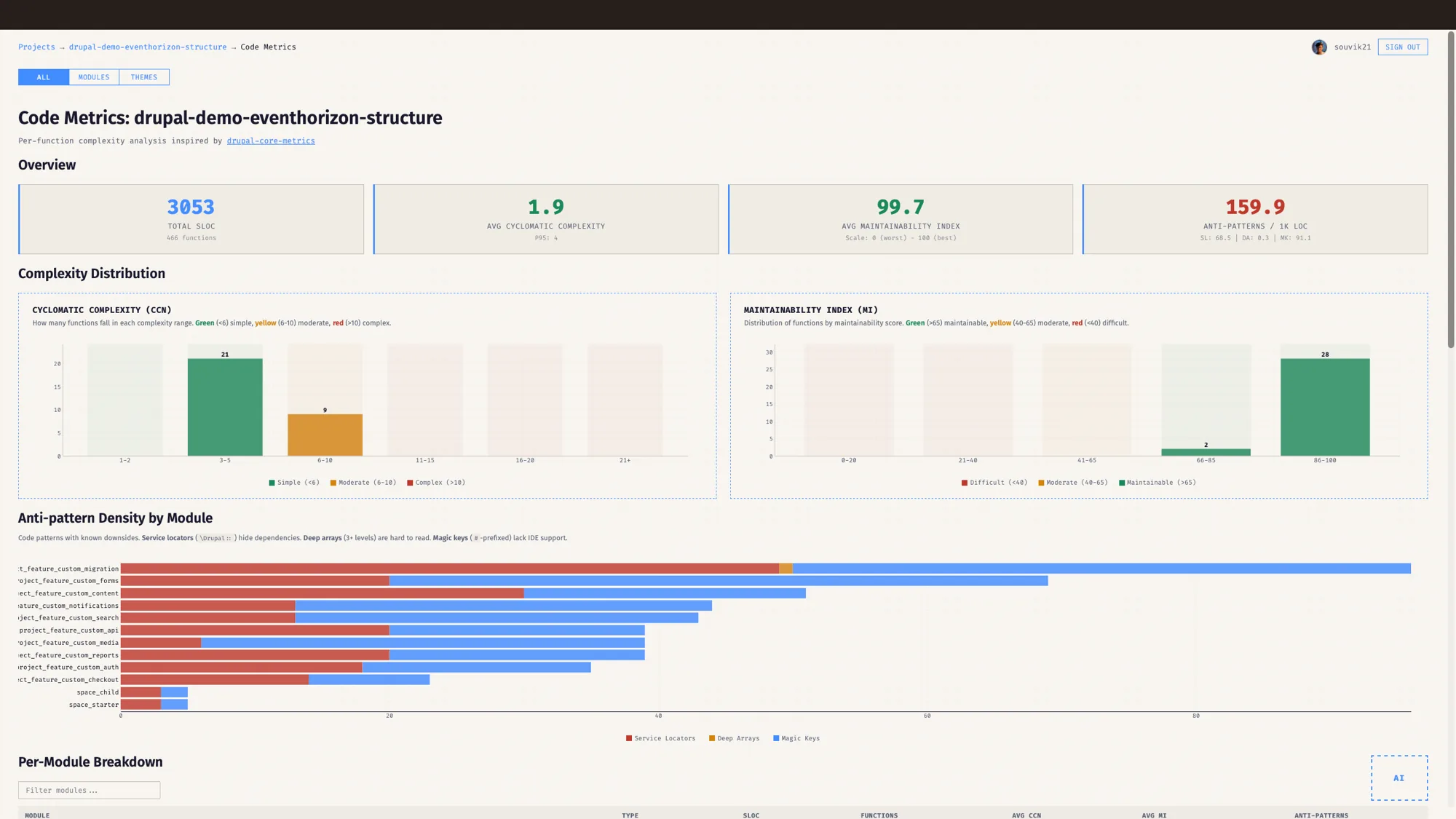
A score is for the room. The metrics are for the work, and the Code Metrics view is where they live.
It measures four things and draws each one so you can read the shape at a glance:
- Cyclomatic complexity, the number of independent paths through a function. EventHorizon buckets every function into a histogram and colours it: green under six, amber from six to ten, red above ten.
- Maintainability index, a 0 to 100 reading of how hard a piece of code is to change. Here the colours run the other way: red below forty, amber up to sixty-five, green above.
- Anti-pattern density, counted per thousand lines and split by module. It tracks the Drupal habits that quietly cost you later: service locators where a class could inject its dependencies, deeply nested arrays, and magic string keys.
- API surface, the hooks, services, event subscribers, and plugins a module exposes, drawn as a donut so you can see how much surface area you are signing up to maintain.
The tool rolls complexity and maintainability into a single complexity reading, weighting those two equally and counting anti-patterns lighter. That gives you one figure to watch per module while the detail behind it stays one click away.
How do I find the code dragging the score down?
Hotspots. EventHorizon ranks every function by how hard it is to work with and surfaces the worst, sorted by cyclomatic complexity first, then maintainability, then the number of anti-patterns each one carries. The top of that list is your honest backlog: the functions where a change is most likely to go wrong.
The ranking is by real measures. A raw line count is a quick signal, and complexity and maintainability add to it: a function can cross two hundred lines and read perfectly, or stay short and be a maze. Ranking by complexity and maintainability points you at the mazes, and leaves the call about what to do with them to you.
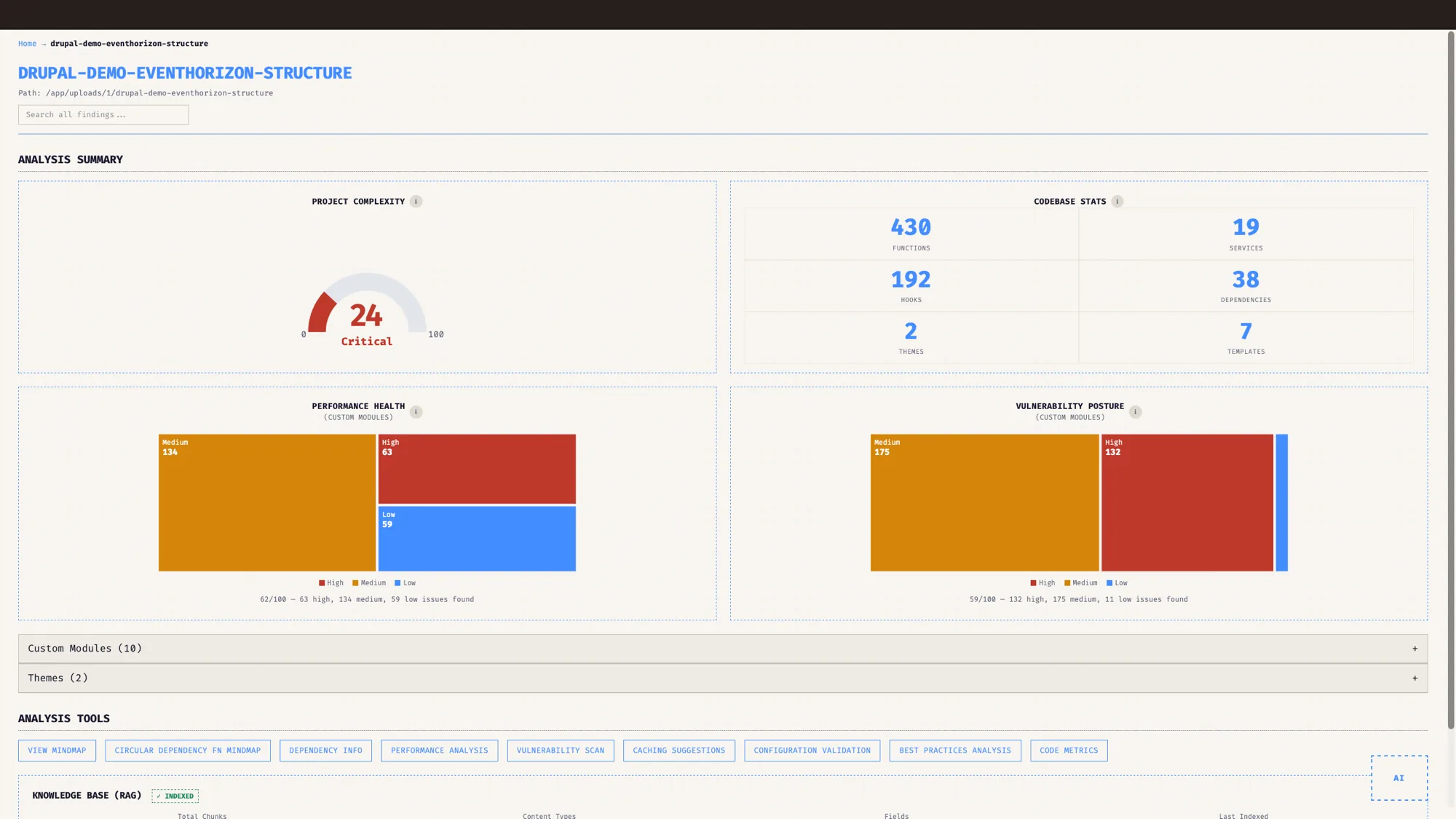
Alongside the per-function view, every module gets a coupling score: a reading of how tangled it is with the rest of the codebase, counted from the calls and services running in and out of it. The dashboard rolls the headline health into a traffic-light gauge, so a module that is quietly becoming load-bearing shows up while it is still cheap to fix.
Does a low score mean the code is bad?
No, and this is the part I most wanted to get right. The score reflects findings, and a finding is a prompt to look. So the score is a prompt too.
EventHorizon runs a confidence allowlist over its own results, and the first line of it reads: every finding is kept. When the tool sees a pattern that is correct Drupal sitting in a place that looks suspicious, it lowers the confidence on that finding and stamps it with two things: a plain-language reason and a flag that says verify this one yourself. A call to \Drupal::database() is the core database API doing its job. A static service call inside a class that already injects its dependencies through create(ContainerInterface) is fine. The allowlist recognises both, drops their confidence, and tells you why.
That keeps the score honest in both directions. A real problem stays visible, and correct Drupal stops dragging your number down for no reason. The score you defend in the room is one that already knows the difference between a smell and a habit.
One view for the client, one for the developer
The same project reads two ways, and you choose which. The project manager and client view strips the dashboard to two things: the Best Practices score and the Code Metrics. Those are the surfaces a non-developer reads, the number and the shape of the code behind it, with nothing to wade through.
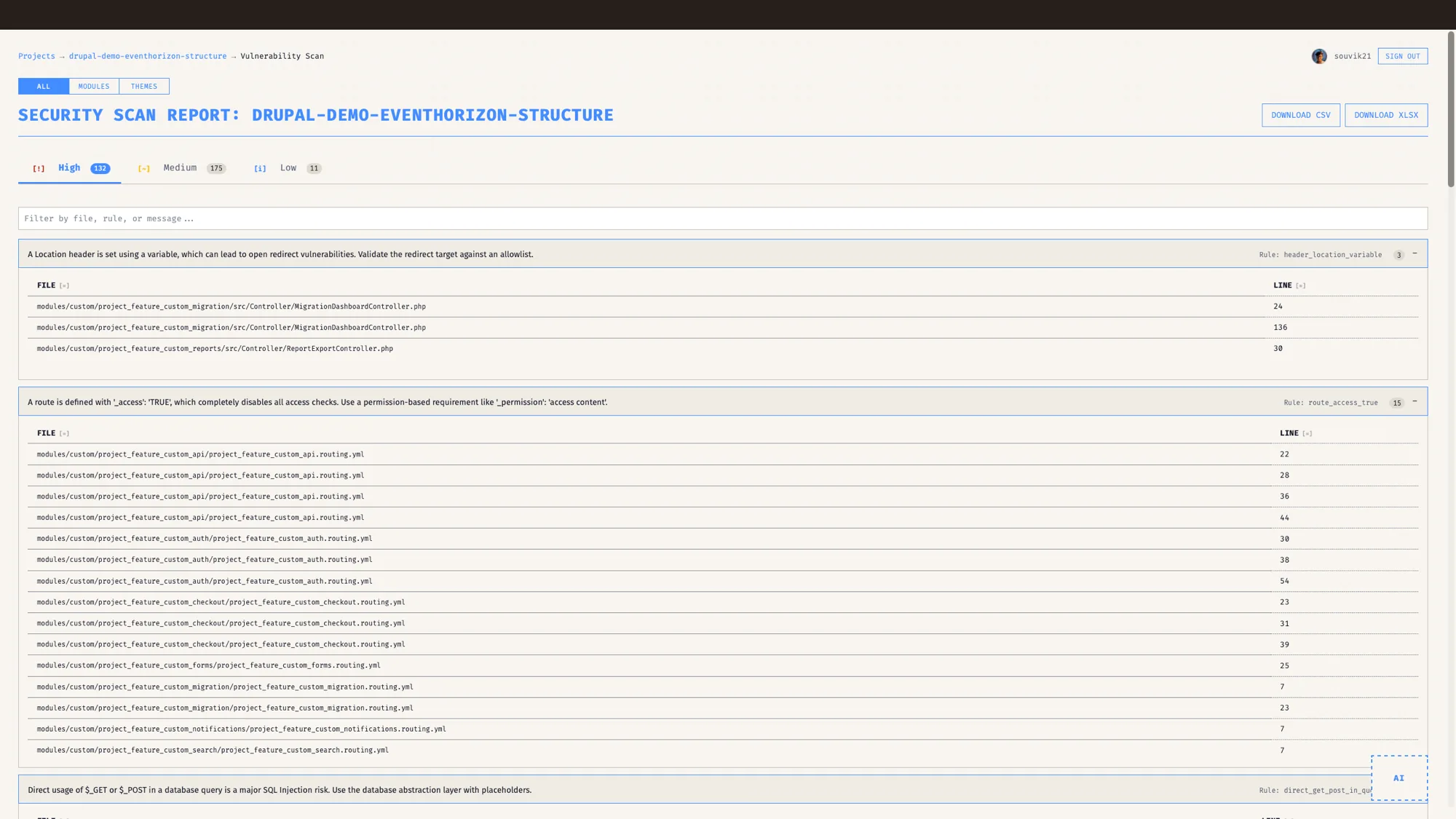
The developer view opens the rest: the caching, performance, security, and configuration findings, the dependency mindmaps, and the per-function detail you act on. EventHorizon remembers your choice per user, so it comes back the way you left it.
I use both in the same week. The client view goes on screen when I am explaining where a budget is going. The developer view is open the rest of the time, when I am the one doing the work.
Who is this for?
For an agency, the score is a way to show a client where a codebase stands without a wall of jargon, and the metrics underneath hand your team the backlog. For an enterprise running due diligence, it is a repeatable read on something you are about to depend on: one number to compare across projects, and the detail to justify it. For a product team, it is a gauge you watch release over release, so a slow slide in quality is something you catch while it is still small.
A number that points at its own reasons
A single number is always a simplification. It can still be a transparent one. When you can name the six things it weighs, see the metrics under each one, and know that correct Drupal counts in your favour, the score becomes something you plan with.
This post is part of the EventHorizon Release Blogs series. Start with the pillar, Drupal native, not generic, then read the companions on performance and cache tags, Drupal-aware security, and dependency maps and upgrades.
That is the whole point of scoring code this way. The number gets you into the conversation. The metrics, the hotspots, and the reasons keep you honest once you are in it.
Frequently asked questions
What is a Drupal code quality score?
A Drupal code quality score reads a codebase and reports its health as one number from 0 to 100. EventHorizon builds it from six weighted categories, security, performance, architecture, maintainability, theme quality, and Drupal standards, and runs the whole thing as static analysis.
How is the EventHorizon score calculated?
It is a weighted average of six category scores. Security carries the most weight, then performance, architecture, maintainability, theme quality, and Drupal standards. Each category is an average of metrics scored against benchmarks, so the number reflects how the code measured against those benchmarks.
What code metrics does EventHorizon measure?
Cyclomatic complexity and a maintainability index for every function, anti-pattern density per thousand lines (service locators, deep arrays, and magic keys), and the API surface a module exposes. It also ranks functions into hotspots so you can see the hardest code to maintain.
Does a low score mean my code is bad?
No. The score reflects findings, and a finding is a prompt to look. EventHorizon runs a confidence allowlist that lowers the confidence on correct Drupal patterns and explains why, and it keeps every finding so nothing is hidden. A low score points you at where to look first.
What is the difference between the project manager view and the developer view?
The project manager and client view shows the Best Practices score and the Code Metrics, the two surfaces a non-developer reads. The developer view adds the caching, performance, security, and configuration findings, the dependency mindmaps, and the per-function detail. EventHorizon remembers your choice per user.
Which Drupal versions does EventHorizon support?
Drupal 8, 9, 10, and 11.
Does the scoring use AI?
No. The score and the code metrics are static analysis. AI chat is a separate, optional feature you turn on with your own key.
See it on your own Drupal codebase.
EventHorizon is launching soon, exclusively through QED42. Join the waitlist for early access.